Building VoinzNext: Why I Built My Own Next.js Project Generator
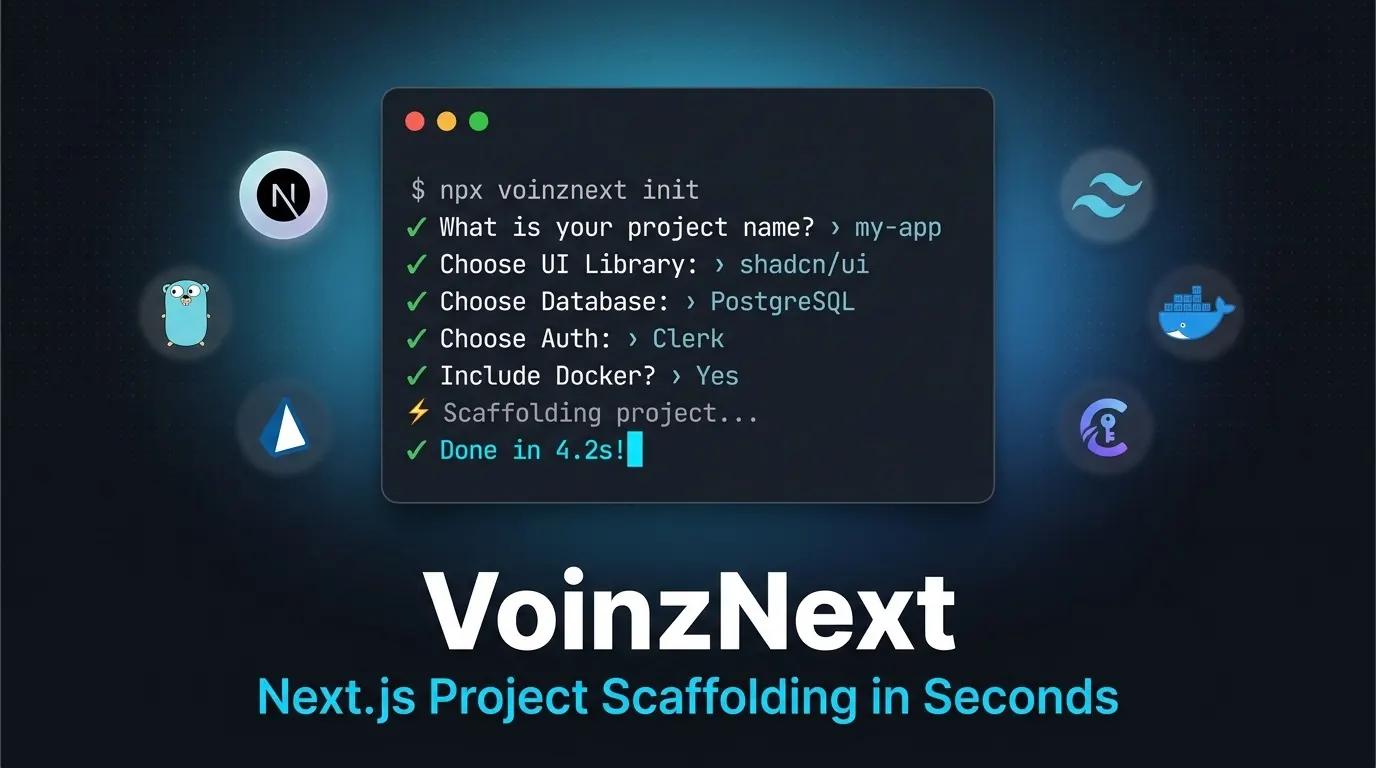
As a web developer, one of the most frequent tasks I perform is starting a new project. Next.js is almost always my framework of choice because of its SSR features, optimization, and mature ecosystem.
But there's one classic problem: initial setup is tedious and time-consuming.
Every time I create a new Next.js project, I have to:
- Choose and configure a UI library (shadcn/ui or daisyUI)
- Set up a database with Prisma or Drizzle ORM
- Configure authentication (NextAuth, Clerk, or Lucia)
- Wire up an API layer (tRPC, GraphQL, or REST)
- Install testing frameworks (Vitest/Jest/Playwright)
- Set up Docker, ESLint, Prettier, and
.env.example
This process takes 20–30 minutes every time, not including debugging mismatched configurations or typos in package.json.
I know I'm not alone — many developers face the same problem. There are solutions like create-t3-app, but sometimes they don't provide the specific library options I need at that moment. I needed something flexible, fast, and tailored to my workflow.
That's why I built VoinzNext.
What is VoinzNext?
VoinzNext is an interactive CLI tool I designed to scaffold complete Next.js projects with your chosen tech stack — in seconds.
Just run:
npx voinznext init
The CLI will present an interactive survey asking about your preferences (router, language, database, auth, UI library, etc.), then automatically generate a complete folder structure with:
- All dependencies installed
- Ready-to-use configuration files (Tailwind, TypeScript, Docker, etc.)
- Database schema and auth boilerplate
- Pre-configured
.env.examplefiles - Even an initialized git repository (optional)
What used to take 20–30 minutes now takes 30 seconds.
How I Built It
1. Why Go Instead of Node.js?
It might sound unusual — building a Next.js (JavaScript) generator using Go. But this was a deliberate design decision because Go offers several advantages:
- Single binary with no dependencies. Users don't need to install a global Node.js runtime or wait for heavy CLI package installations.
- Fast compilation and execution. Go is extremely fast at I/O operations and dependency calculations.
- Embedded templates. Go's built-in
embedfeature allows me to embed Next.js boilerplate templates directly into the binary without reading external directories at runtime.
2. Distribution: npm + GitHub Releases
I wanted this tool to be easily accessible, so I distribute it through two channels:
Via npm:
npx voinznext init
The npm package is just a small wrapper that automatically downloads the latest Go binary from GitHub Releases.
Via Go install (for Go developers):
go install github.com/VoinzzZ/VoinzNext/cmd/voinznext@latest
With this strategy, the tool can be used by anyone — both JavaScript developers and Go enthusiasts.
3. Auto-Update Feature
One of my favorite features: voinznext update — the tool can update itself without manual reinstallation.
This was quite tricky, especially on Windows, because a running binary cannot be directly overwritten. The solution? I created a temporary .bat script that waits for the main process to finish, replaces the old binary with the new one, and finally deletes itself. This self-delete pattern was technically interesting and made the UX much smoother.
Technical Challenges
Building VoinzNext wasn't just about writing text files. To make it production-ready, I had to solve several software engineering challenges:
1. Ensuring File Integrity with Atomic Generation
If the generator fails mid-process (due to network interruption or user cancellation), the project directory could be left broken or half-finished.
Solution: VoinzNext's generator creates the project in a temporary directory (.tmp-*) first. After all steps complete successfully, the temporary directory is atomically renamed to the target project folder. If it fails, the temp directory is immediately cleaned up.
2. Self-Update Binary on Windows
VoinzNext has a voinznext update command to update itself. On Linux/macOS, replacing a running binary is straightforward. On Windows, however, a running .exe file is locked by the OS and cannot be overwritten directly.
Solution: I designed a Windows-specific self-delete/self-replace pattern using a temporary .bat script. The CLI downloads the new version to a .new file, spawns a background .bat script, and immediately exits the main CLI process. The .bat script waits for the main process to die, overwrites the old file with the new one, and then deletes itself.
3. Preventing GitHub API Rate Limits
The CLI automatically checks for the latest version from the GitHub API every time it runs. Without limits, this would quickly hit GitHub's rate limit.
Solution: I implemented a simple caching mechanism. The version check result is stored in a local cache with a 24-hour TTL (Time-to-Live). The CLI only queries the GitHub API once per day.
Results & Impact
Now, every time I get a new project idea or need to start work, I only need less than 10 seconds to get a ready-to-use Next.js workspace, complete with database schema, UI library, testing setup, and Docker containers already running.
This project taught me aspects beyond conventional web development:
- Low-level filesystem interactions (OS filesystem APIs)
- Cross-platform software distribution (Windows, macOS, Linux)
- Developer Experience (DX) design through interactive and informative CLIs
Try VoinzNext Now!
This project is fully open-source. You can view the source code, contribute, or try it directly for your next Next.js project:
GitHub: github.com/VoinzzZ/VoinzNext
Quick Start: npx voinznext init
Supported Tech Stack Options
| Category | Available Options | |---|---| | Router | App Router / Pages Router | | Language | TypeScript / JavaScript | | Package Manager | pnpm / npm / Yarn | | CSS Framework | Tailwind CSS / CSS Modules / None | | UI Library | shadcn/ui / daisyUI / None | | Database | MySQL / PostgreSQL / MongoDB / Supabase / TiDB / None | | ORM | Prisma / Drizzle ORM / Raw Driver / None | | Authentication | NextAuth.js / Clerk / Lucia / None | | API Pattern | tRPC / REST / GraphQL / None | | Testing | Vitest / Jest / Playwright / None | | Docker | Yes / No | | ESLint + Prettier | Yes / No | | Git Init | Yes / No |
How do you usually set up your Next.js boilerplate? Let's discuss in the comments!