June 21, 2025/Fullstack
Note App: Full-Stack Notes with React, Express, and MongoDB
note-app.md — terminal
root@personal-site:~$ cat note-app.md
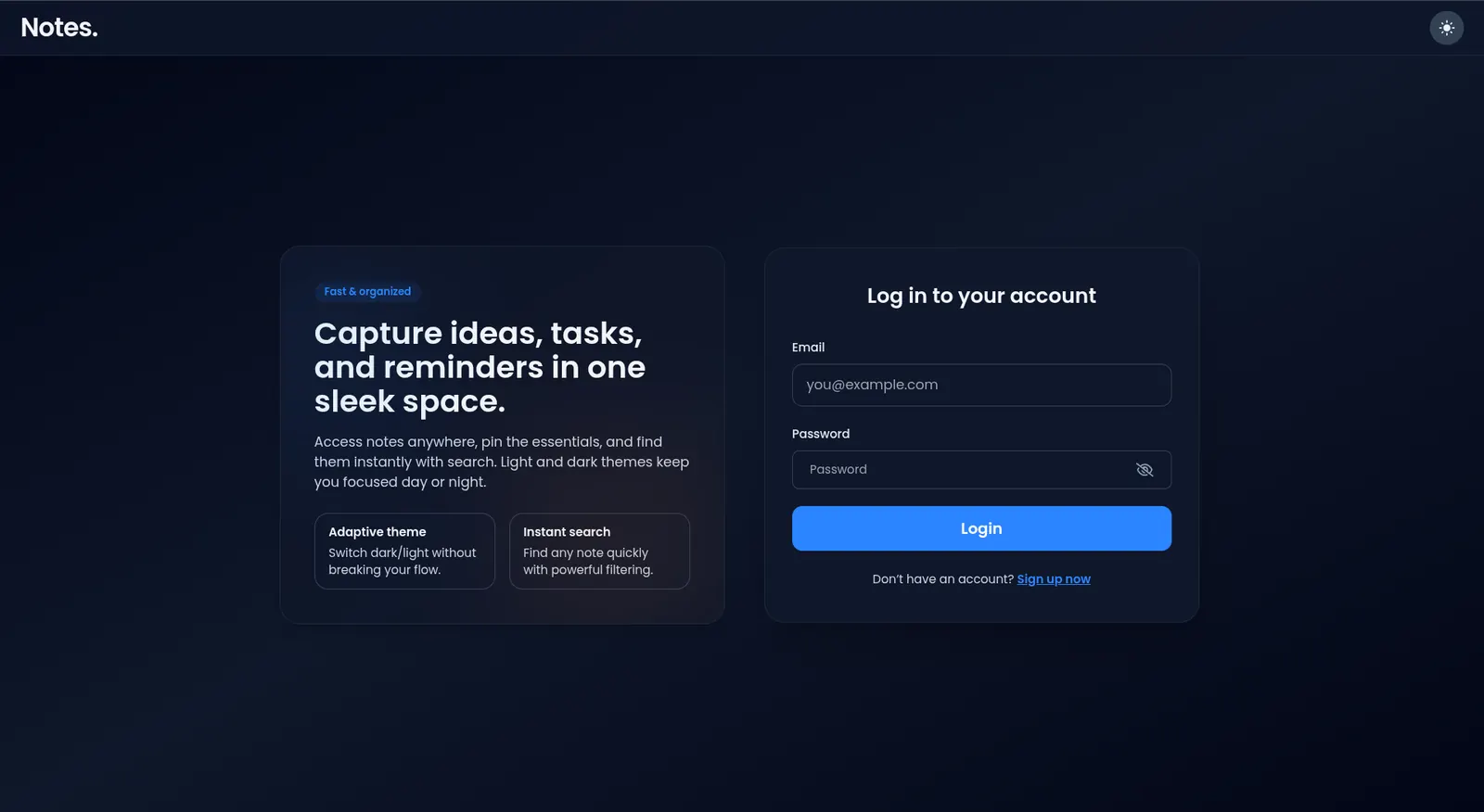
Full‑stack note‑taking application with authentication, CRUD, pinning, tags, search, and dark/light theme. Frontend uses React 19 with Vite + Tailwind; backend uses Node.js, Express, and MongoDB with JWT for auth.
Overview
Note App is built to feel fast and focused: quick capture, easy organization, and clean reading. The app emphasizes task flow (capture → tag → pin → find) with a minimal UI that stays usable on mobile.
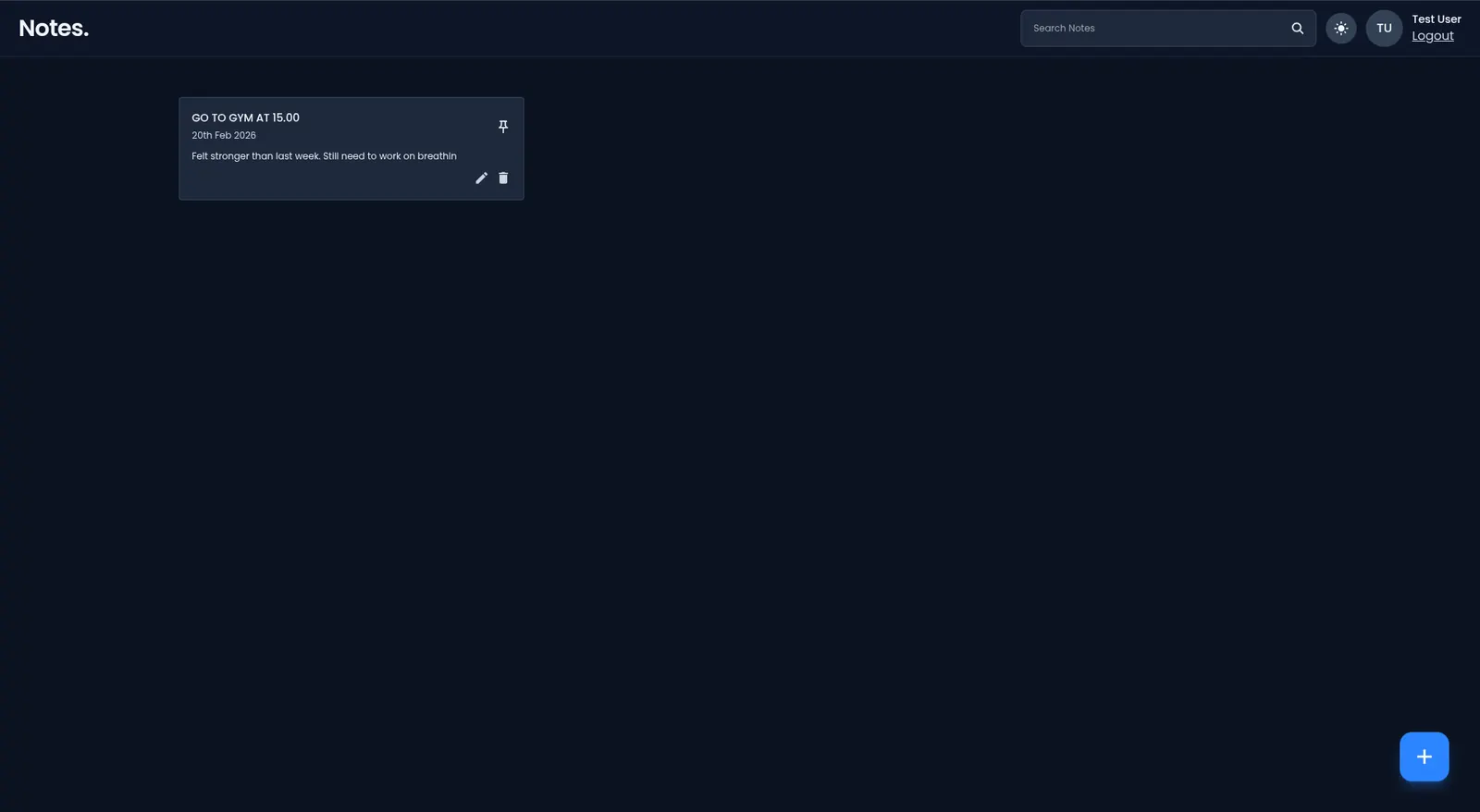
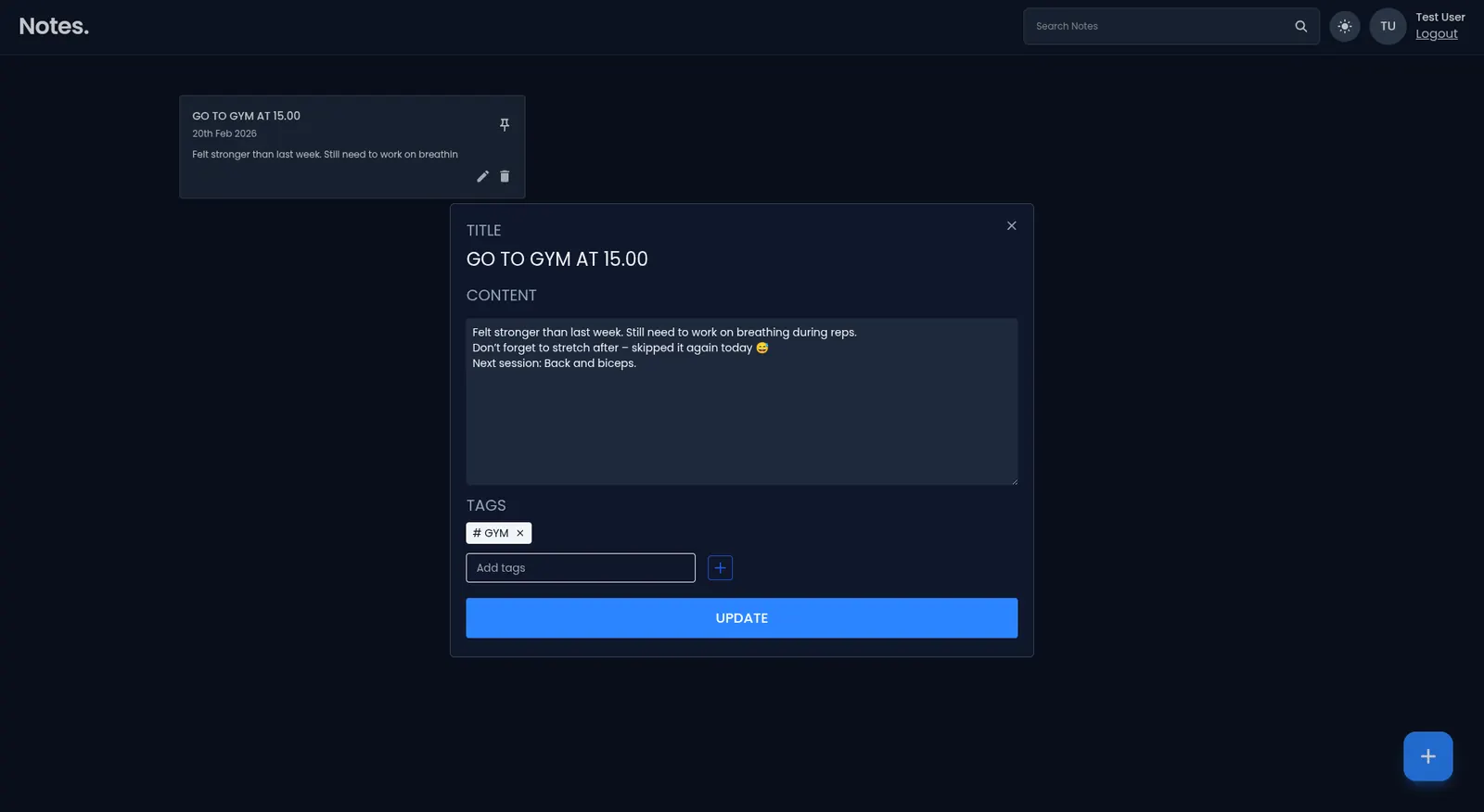
Screenshots
Demo (Local)
- Backend:
http://localhost:8000 - Frontend:
http://localhost:5173
Features
- JWT auth: sign up, login, persistent sessions.
- CRUD notes with rich text fields, tags, and pin/unpin.
- Search by title/content + tags filter.
- Responsive UI with dark/light theme toggle.
- Toast notifications and modal-based editor.
- Optimistic updates for smooth note interactions.
Tech Stack
- Frontend: React 19, Vite, Tailwind CSS, React Router, Axios, React Modal, React Icons.
- Backend: Node.js, Express.js, MongoDB via Mongoose, JWT, dotenv, cors, nodemon.
UX Highlights
- Focused editor with keyboard-first flow and clear focus states.
- Pinning to keep important notes at the top.
- Tag chips to group ideas and filter quickly.
- Dark/light theme tuned for low‑glare reading.
Project Structure
Note-App/
├── frontend/                  # Vite + React client
│   ├── src/
│   │   ├── components/        # Reusable UI pieces
│   │   ├── pages/             # Views (Home, Login, SignUp)
│   │   ├── context/           # Theme context
│   │   ├── assets/            # Images/icons
│   │   └── utils/             # Axios instance, helpers
│   └── package.json
│
├── backend/                   # Express API
│   ├── app/                   # Controllers, routes, middlewares, models, utils, config
│   ├── app.js                 # Express setup
│   ├── index.js               # Server entry
│   └── package.json
└── README.md
Quick Start
Prerequisites
- Node.js 18+ (recommended)
- MongoDB (local or Atlas)
1) Clone
git clone https://github.com/VoinzzZ/Note-App.git
cd Note-App
2) Backend setup
cd backend
npm install
Create .env in backend/:
ACCESS_TOKEN_SECRET=your_secret_here
PORT=8000
MONGODB_URI=your_mongodb_uri_here
Run API:
npm start # uses nodemon
3) Frontend setup
cd ../frontend
npm install
npm run dev
Visit http://localhost:5173.
API Overview
Auth
POST /api/auth/create-account— register{ fullName, email, password }POST /api/auth/login— login{ email, password }GET /api/auth/get-user— current user (Authorization: Bearer token)
Notes
POST /api/notes/add-note— create{ title, content, tags }GET /api/notes/get-all-notes— list user notesPUT /api/notes/edit-note/:noteId— update{ title, content, tags, isPinned }DELETE /api/notes/delete-note/:noteId— removePUT /api/notes/update-note-pinned/:id— toggle pin{ isPinned }GET /api/notes/search-notes?query=keyword— search
Environment Variables
Backend .env (required)
ACCESS_TOKEN_SECRET=your_secret_here
PORT=8000
MONGODB_URI=your_mongodb_uri_here
Frontend .env (optional if proxying)
VITE_API_BASE_URL=http://localhost:8000/api
Scripts
Frontend
npm run dev       # dev server
npm run build     # production build
npm run preview   # preview built app
npm run lint      # eslint
Backend
npm start         # nodemon server
npm test          # (placeholder)
Recent UI Updates
- Added modal overlay spacing to avoid overlap with sticky navbar.
- Added ThemeContext (dark/light) toggle in navbar.
- Enhanced card, inputs, and forms styling refinements.
Contributing
- Fork & branch from
main. - Run lint/tests before PR.
- Submit PR with clear description and screenshots for UI changes.
License
MIT